
Same-Day · Reserve · Secure Storage
Luggage Lockers
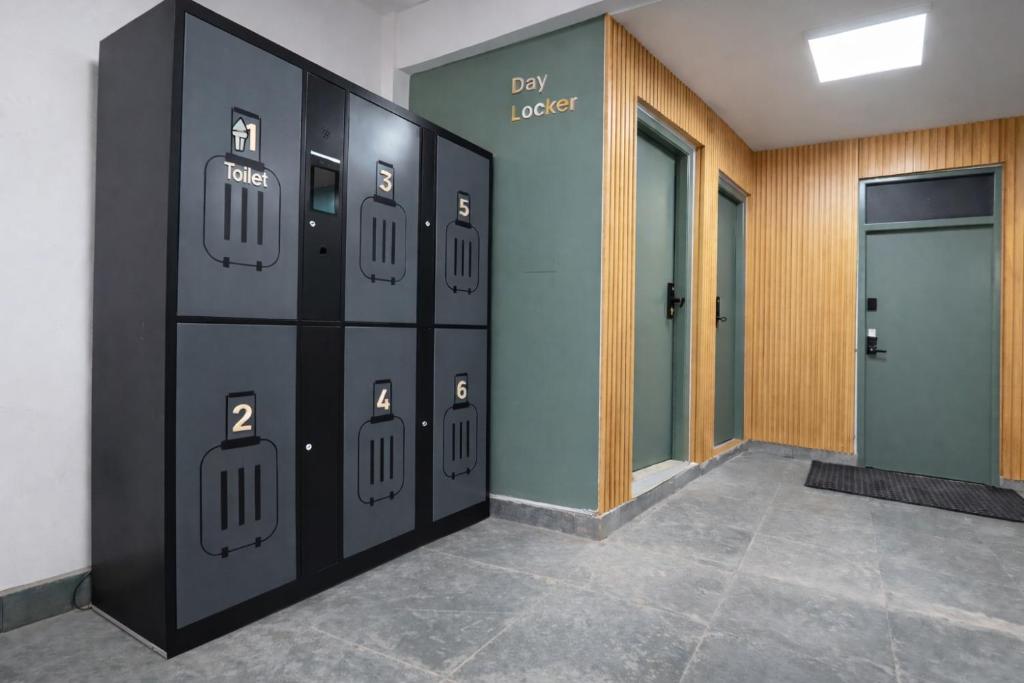
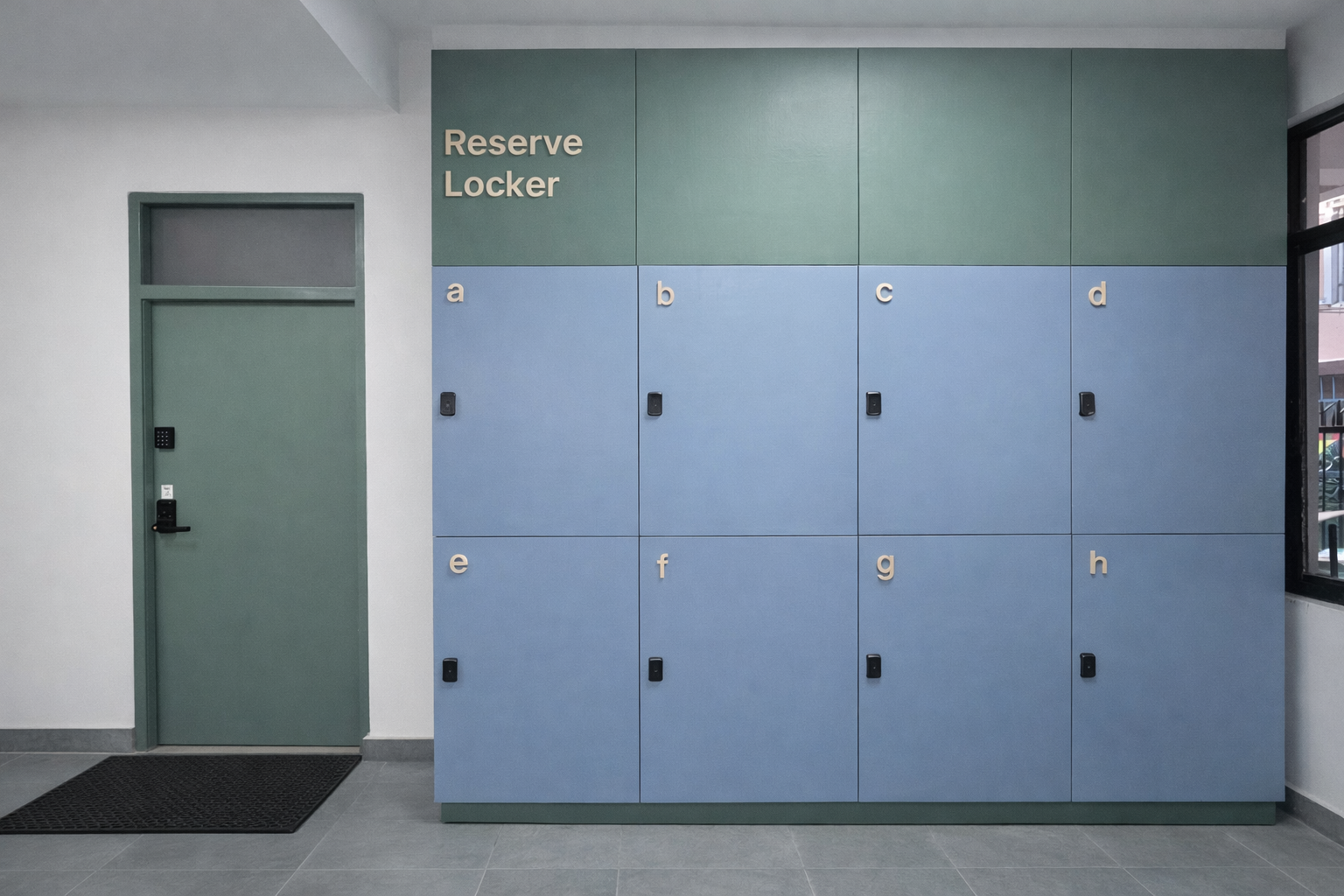
Two locker options for guests: Day Lockers for early arrivals and late departures using face or fingerprint, and Reserve Lockers for longer stays using a host-issued PIN.
Day Locker
Same-day use only. Open it with your face or fingerprint, store one large suitcase per locker, retrieve before the end of the day. Need more space? Use multiple lockers side-by-side, subject to availability.
Subject to availability. The property is not responsible for loss or damage to stored items.
Reserve Locker
Longer-term storage arranged with the host via a PIN. Great for guests leaving luggage behind for a few days, or storing heavy items during a short stay. Each Reserve Locker fits up to two large suitcases, and the host can allocate more than one locker on request — subject to availability.
Extension requires prior host approval.
Day Locker · Store
Store Your Luggage (Send)
Five quick steps. Total time is about a minute, including registration.
- 1
Tap SEND on the Screen
On the locker screen, tap the SEND button (red).
- 2
Pick a Verification Method
Choose Face or Fingerprint — your choice. The locker remembers it for retrieval.
- 3
Register Your Face or Fingerprint
Follow the on-screen instructions to scan your face or fingerprint. This becomes your key for the same day only.
- 4
Locker Opens Automatically
Once registration is complete, an available locker door opens for you.
- 5
Store & Close
Place your luggage inside and close the locker door firmly. Your luggage is now stored.
Day Locker · Retrieve
Retrieve Your Luggage (Take)
- 1
Tap TAKE on the Screen
On the locker screen, tap the TAKE button (blue).
- 2
Scan the Same Face or Fingerprint
Use the same face or fingerprint you registered during storage — the locker only opens for that match.
- 3
Collect & Close
The locker door opens. Collect all your belongings and close the locker door properly so it stays available for the next guest.
Capacity & Multiple Lockers
- One locker fits up to two large suitcases.
- Need more than one locker? Register a different fingerprint or face for each locker.
- All usage is subject to availability.
Access to the Locker Area
If you need early access or extended access after check-out, message the host in advance so we can keep the main iron gate code and locker access active for you.
Important Day Locker Rules
- Day Lockers are for same-day use only.
- Each Day Locker fits one large suitcase. If you have more than one suitcase, use multiple Day Lockers side-by-side (subject to availability).
- All luggage must be collected on the same day.
- Uncollected items will be removed at the end of the day due to limited locker availability.
- Use of the locker is at the guest’s own risk.
- The property is not responsible for loss or damage to stored items.
- Personal belongings only — no hazardous or prohibited items.
- Lockers must be emptied by the agreed time.
Reserve Locker
Long-Term & Secure Storage
For guests leaving luggage behind for a few days, or for guests who prefer to securely store heavy items instead of carrying them upstairs during a short stay.
- 1
Arrange Access With the Host
Reserve Lockers are arranged in advance with your host through the booking platform. Your host issues a PIN code that opens your assigned locker.
- 2
Use the PIN During Your Agreed Window
The PIN is valid only for the agreed period. Once it expires, the locker cannot be opened without host assistance. Each locker fits up to two large suitcases; more than one locker can be arranged subject to availability.
- 3
Extend or Empty by the End Time
Any extension must be approved by the host before the original window expires. Remove all belongings by the agreed end time. Items left beyond the agreed period without prior approval may be removed or relocated.
Watch first — it's a minute long
Reserve Locker Video Guide(YouTube)Guest Responsibilities & Liability
- Each Reserve Locker fits up to two large suitcases. The host can allocate more than one Reserve Locker on request, subject to availability.
- Guests are responsible for ensuring their belongings are properly locked.
- Only personal travel items may be stored.
- Storing prohibited, hazardous, perishable or illegal items is strictly not allowed.
- Guests must remove all belongings by the agreed end time.
- Use of the Reserve Locker is at the guest’s own risk.
- The property and host are not responsible for loss or damage to stored items.
Need a Locker or Have Questions?
Reserve Lockers and any extensions are arranged with your host. Message us through your booking platform — for related logistics, see Booking Process and Parking & Access.